
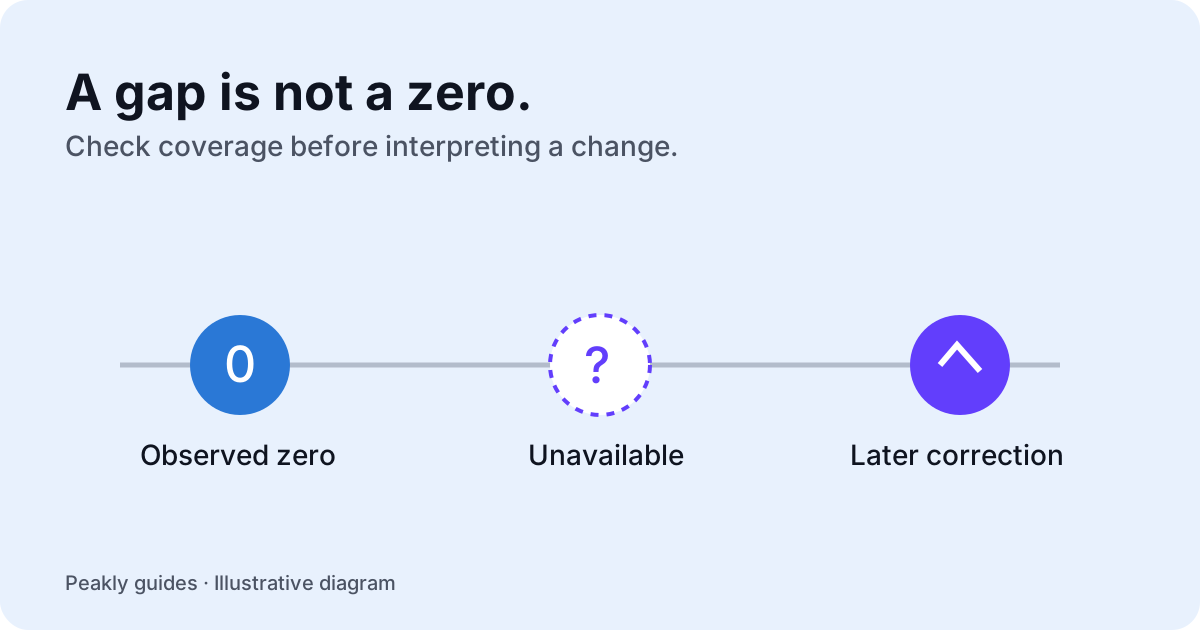
App Store Connect analytics reports do not always describe a finished, complete period the moment you open them. A missing day, a revised count, and a reported zero are different situations. Treating all three as zero can create a false decline and send you into a listing change that the evidence does not justify.
Distinguish the event date from processing
Apple delivers Analytics Reports content through report instances. The data has its own dates, while an instance also has a processing date. An instance can contain late-arriving data or corrections for earlier periods. This means a newly processed file is not necessarily a file containing only new events from that day.
Read Apple's data completeness and corrections documentation when inspecting the raw reports. Before comparing two periods, ask whether their dates describe the underlying activity or the processing of the report. A fresh file timestamp alone is not evidence that every metric for yesterday is complete.
Peakly's current insight caveats note that recent store data can be revised and that usage metrics can take longer to settle. The practical response is to identify the reporting window before evaluating movement. Keep a record of when you reviewed the data, especially when a recent period sits near the end of the available reports.
Separate unavailable data from an observed zero
An observed zero answers a question: the report supplies a count of zero for that measure in that period. An unavailable value does not answer it. It may reflect a report that has not arrived, a metric that is not available in the selected data, or a reporting restriction. Do not silently choose the most pessimistic explanation.
Peakly represents unknown values separately from numeric counts. Its insight logic also checks whether the metrics needed for a diagnosis exist before using them. This is why a gap should not be interpreted as a sudden loss of downloads. A chart can be visually continuous and still tell the wrong story if missing values have been replaced with zero.
Before changing a listing, inspect the last dates actually covered by the relevant reports. Discovery, downloads, usage, and sales are different measurements. A period that is sufficiently complete for one may not support the same conclusion for another. Match the evidence to the question instead of assuming every panel is equally current.
Understand reporting privacy limits
Apple applies privacy measures to specified report types, including thresholds that can suppress low-volume data and noise in some detailed reports. Some usage data also depends on users choosing to share analytics. The measures are report-specific; do not assume every report applies every rule in the same way.
Consult Apple's report privacy documentation and the privacy section for the report you are using. A missing usage row is not reliable evidence that nobody used the app. Equally, a reported metric should not be presented as a complete count of every person if the documentation describes a narrower population.
This matters particularly when comparing source quality for a small app. A few downloads, partially available usage data, and a short window can leave several explanations open. Larger-looking precision in a table does not remove the limitations of the underlying report. Preserve those qualifications when deciding what to try.
Build a comparison you can revisit
Choose comparable windows with the same app, source definition, and metric. Start with dates that have usable coverage rather than whichever range makes the change look largest. Note a release, a campaign, or a distribution change that could alter the audience. Those events can affect a comparison even if the listing assets stay unchanged.
If you are evaluating conversion, check the numerator and denominator using the conversion guide. If you are comparing acquisition channels, use the download source guide. Matching labels is essential: a first-time download total and a total-download figure do not describe exactly the same thing.
Keep the original question alongside the result. For example, an icon change might be assessed using search downloads per search impression, with deletion behavior as a guardrail. If the usage report has missing days, record that the guardrail cannot yet be assessed. Do not turn an unavailable check into a passing result.
Choose an action proportional to the evidence
A large, sustained change across comparable reported periods deserves a different response from one incomplete day. When coverage is insufficient, the useful next step may be to wait for another report, inspect the raw fields, or narrow the question. You can still make progress by identifying exactly what would resolve the uncertainty.
Peakly's insights distinguish the observed numbers, possible reasons, a suggested experiment, and what to look for afterward. They do not automatically run the experiment or establish causality. Explore Peakly's current setup to review the reports, and use the feedback board when a gap or caveat needs a clearer explanation.